I´ve been having a raspberry pi 4 model B for years in my drawer and I finally decided to put it to good use. I´ve always been interested in homelabs but I´ve always been lazy about it until now. So, in order to give the raspberry a chance, I´ve decided to install AdGuard Home and give it a try in order to stop all the boring ADs I get in many websites. Let me walk you through the whole process and, the most important thing, let me walk you through the issues I´ve encountered.
Table of Contents
Open Table of Contents
Installation
Installation is pretty straight forward. You can find the official documentation here: https://adguard-dns.io/kb/es/adguard-home/getting-started/. Just follow the steps: download and install the script, visit the local IP address and finish the installation. It is worth mentioning that I have not configured the router in order to use always by default my raspi as DNS provider. I´ve been performing some tests just by setting manually the DNS configuration in my devices. So far I´ve been trying this in a Smart TV, iPhone and Macbook. In my case, I also chose to let AdGuard Home listen in each interface.
Configuration
Once installed and created the user, it is possible to access the administrator panel. Here´s the place in which the configuration is done. For now, I´ve just added the lists provided by uBlock Origin.
Right now, my configuration looks like this:
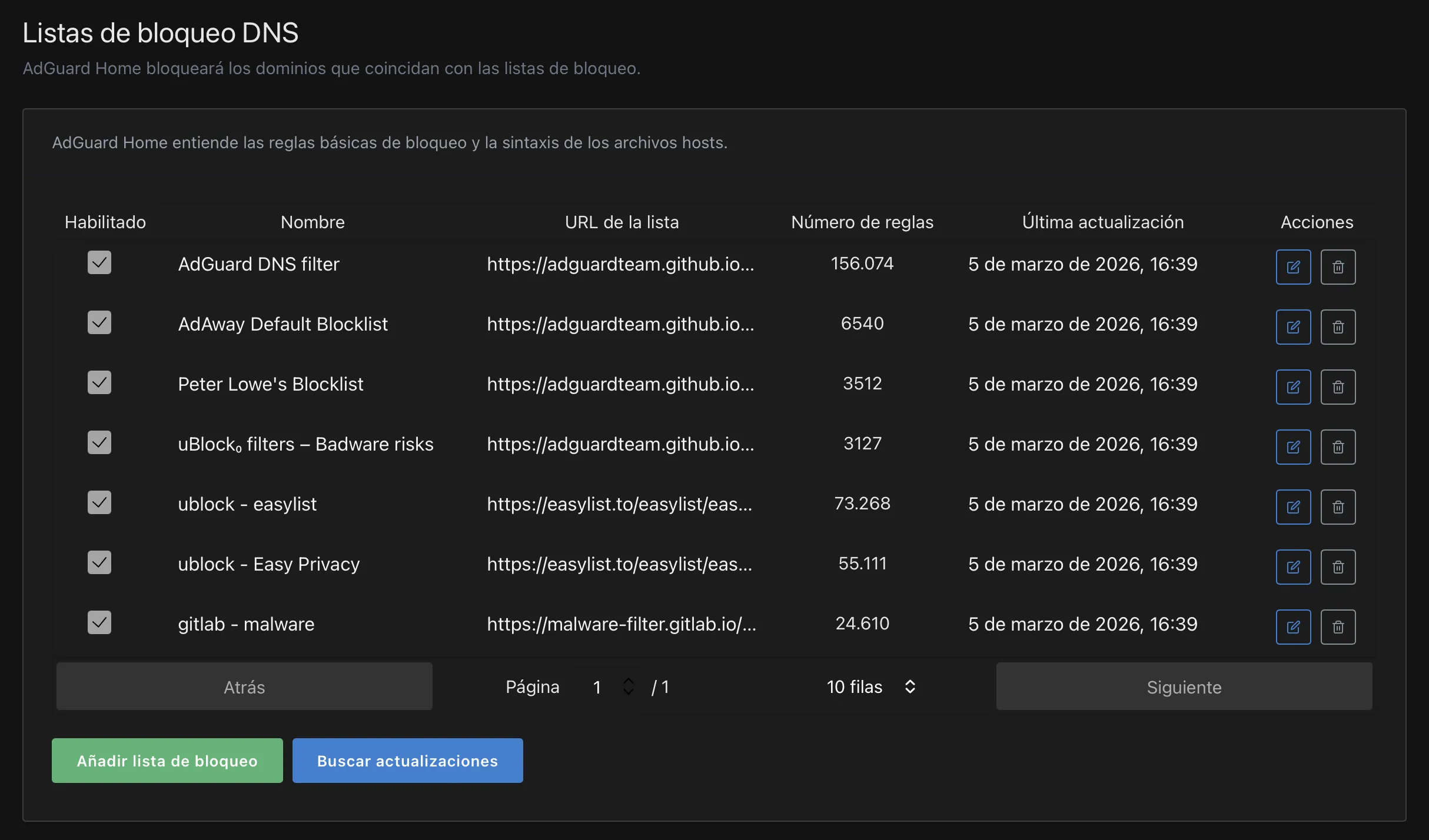
Some of these lists are included in AdGuard Home as default lists and you just need to activate those. If the list is not included, just add a new list and place the URL.
Some URLs can be found here
Issues
- First of all, if you´re an iOS user, you might need to take some extra steps due to the private relay that is used in iOS. Just go to the WiFi settings, select your WiFi network and switch off the option “Limit IP Address Tracking”. That should be enough. Another option is going to Settings -> iCloud -> Private Relay and switching it off.
Unexpected Blocking (Whitelisted domains)
In this section I´d like to mention some services that I´ve noticed that the AdGuard might block due to the configuration.
-
t.codomain. This is user in order to shorten URLs in Twitter (I still refuse to call it X). I had to add this domain to the whitelist. -
statsig.anthropic.comIn order to use Claude, it is mandatory to whitelist this domain. I think this is not the only one that is blocked in these lists, so to use Claude further, it might be needed to whitelist more domains. -
Docker and Docker DesktopFrom what I´ve noticed, I have been experiencing some issues when running docker CLI and docker Desktop in a Macbook pro while using AdGuard. I´m still trying to figure out which domain I should whitelist.